
Every Payment, Every Arrival, Every Payslip — Parents and Staff Know Instantly
FundTrak sends 30+ types of notifications across SMS, email, and WhatsApp — payment receipts, fee reminders, attendance alerts, payroll updates, and approval requests. Customise templates, set preferences per student, and track every delivery.
30+
Notification types
4
Delivery channels
Instant
Payment receipts to parents
What gets sent
30+ Notification Types — From Payment Receipts to Payslips
Every important event in your school triggers the right notification to the right person, on the right channel — automatically.
Payments & Fees
Payment Receipts
Instant receipt sent to guardian via SMS and WhatsApp the moment a payment is confirmed. Includes student name, amount, and remaining balance.
Fee Reminders
Automated reminders for outstanding fees — sent on a schedule you control. Daily, weekly, or monthly. Includes amount owed and payment reference.
Debt Follow-Up
Escalating reminders for long-overdue fees. Separate from regular reminders — targeted at students with balances past a threshold you set.
Subscription Expiring
Alert when a student's fee subscription is about to expire. Gives parents advance notice before the new term's fees are due.
Attendance & Gate
Gate Check-In
WhatsApp + SMS sent to guardian within seconds of their child tapping in. Includes student name, timestamp, and direction.
Gate Check-Out
Exit notification to guardian when the student taps out. Attendance record closes with both entry and exit timestamps.
Late Arrival Alert
Flagged when a student checks in after the configurable late threshold. Guardian notified. Staff see it on the live dashboard.
Gate Fee Reminder
Outstanding balance shown on screen at every scan. Optional WhatsApp fee reminder sent to guardian on check-in — frequency configurable.
Payroll & Staff
Payroll Processed
Staff notified when their salary has been processed and is being disbursed. Includes net amount and pay period.
Payslip Available
Staff can pull their payslip as PDF via WhatsApp. Notification sent when payslip is ready for download.
Advance Approved / Rejected
Staff notified instantly when their salary advance request is approved or rejected. If approved, includes expected disbursement date.
Disbursement Status
Payment received, failed, or completed — staff and admins get real-time updates on every disbursement in the payroll run.
Approvals & Admin
Approval Requested
When a transaction or transfer needs approval, the designated approver gets an in-app notification and optional email/SMS alert.
Expenditure Updates
Approved, rejected, completed, or failed — every expenditure transfer triggers a notification to the requesting staff member.
Transaction Alerts
New transactions received, approved, or rejected — admins stay informed of every financial movement without checking the dashboard.
Student Import Completed
When a bulk CSV import finishes, the admin who initiated it gets notified with the count of students imported and any errors.
Delivery channels
Four Channels. One Consistent Message.
Every notification reaches the right person on the channel they prefer — WhatsApp for parents, email for admins, SMS as backup, in-app for real-time.
The primary channel for parent-facing notifications. Payment receipts, fee reminders, attendance alerts, and payslips — delivered instantly to the guardian's WhatsApp. No app install needed on their end.
SMS
Backup channel that works even without internet. Sent simultaneously with WhatsApp for critical notifications like gate check-ins and payment confirmations. Rate-limited per student per day.
Detailed notifications with full context — payroll summaries, approval requests, settlement reports, and student import results. Used primarily for staff and admin communications.
In-App
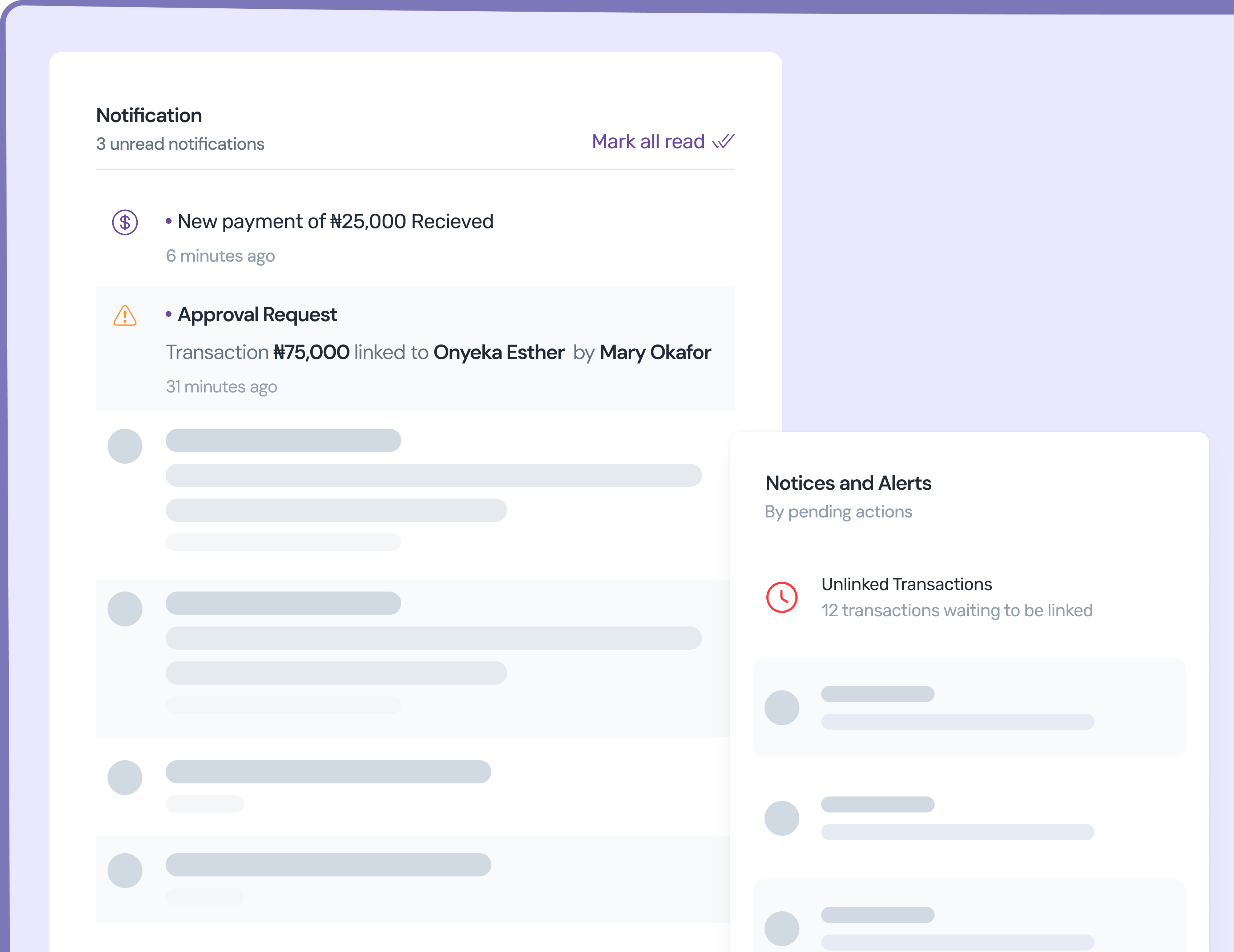
Real-time notifications in the FundTrak dashboard — approval requests, transaction alerts, and system updates. Badge counter shows unread count. Mark as read or dismiss.
Control & configuration
Full Control Over What Gets Sent, How, and to Whom
Templates, preferences, delivery logs, rate limiting, and a real-time inbox — every tool to manage school communications.
Customisable Templates
Every notification type has an editable template with placeholders — {StudentName}, {Amount}, {BalanceRemaining}, {PaymentReference}. Customise the wording for your school's tone and language.
Per-Student Preferences
Set notification preferences per student — enable/disable SMS, choose preferred channel (WhatsApp or SMS), and control which notification types are sent. Parents only get what matters to them.
Delivery Logs & Retry
Every notification is logged with delivery status, timestamp, channel, and recipient. Failed deliveries can be retried. Admin dashboard shows delivery rates and failure reasons.
Staff Notification Preferences
Staff choose how they want to be notified — email, SMS, WhatsApp, or in-app — for each notification type. Payroll admins get separate settings for disbursement events.
SMS Rate Limiting
Configurable maximum SMS per student per day (default: 4). Prevents notification fatigue for parents with multiple children or frequent gate scans. WhatsApp has no limit.
In-App Notification Inbox
Real-time notification feed inside the FundTrak dashboard. Unread badge counter on the bell icon. Mark as read, dismiss, or click through to the relevant transaction or approval.
Boost collections with consistent, automated communication
Let FundTrak handle the receipts, reminders, and alerts while you focus on running your school.